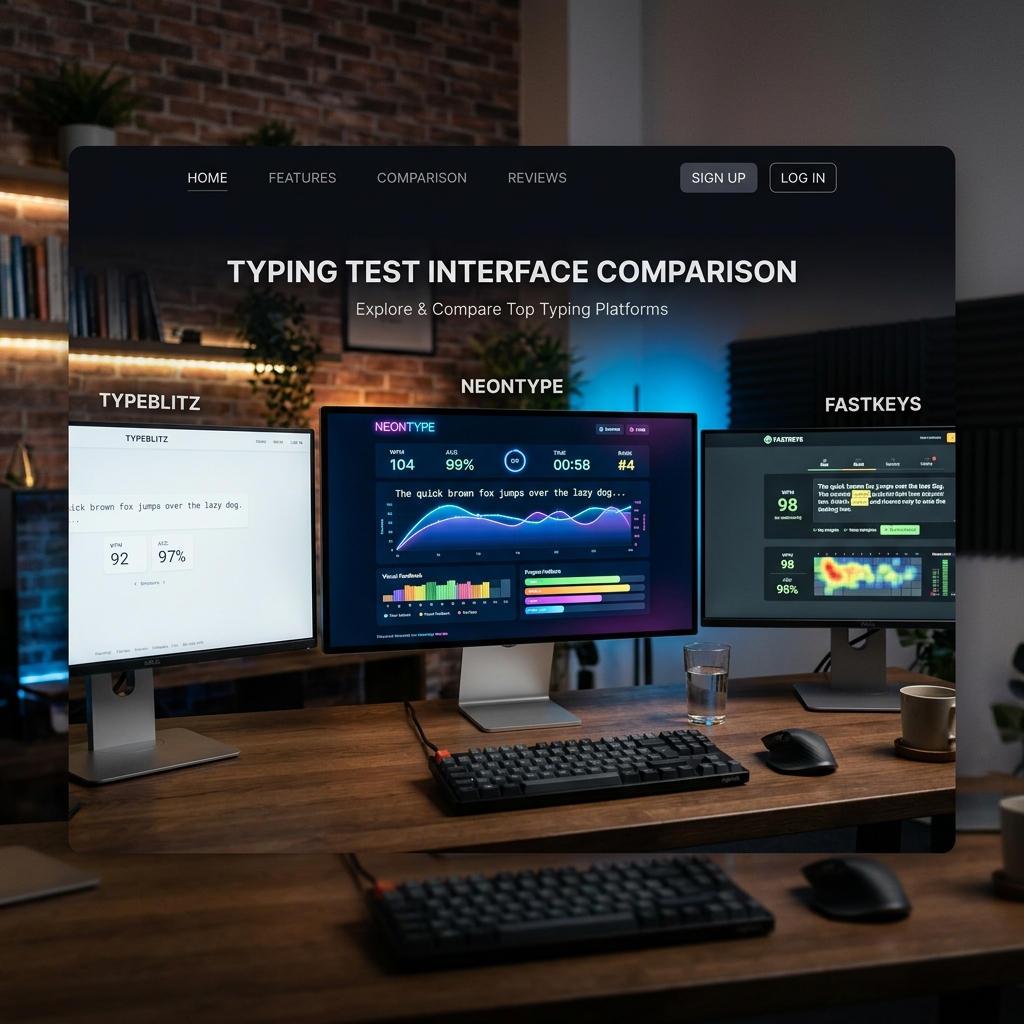
Finding a free typing test online is easy, but finding one that actually helps you improve is harder. A good test should provide detailed analytics, varied text prompts, and a distraction-free environment. In this review, we look at the features that separate the "fun" sites from the professional training tools and help you choose the best platform for your specific goals. Not every site is built for everyone; some are for kids, some for gamers, and some for serious professionals.
The Anatomy of a Perfect Typing Test
A high-quality typing speed test should track more than just WPM. It should measure your consistency, highlight specific keys you struggle with, and save your history so you can track progress over weeks and months. Accuracy is often more important than raw speed; a site that doesn't penalize you for mistakes is doing you a disservice. A perfect test should also offer "Instant Feedback" so you can adjust your rhythm mid-test.
Dynamic Text Generation vs. Static Paragraphs
Tests that use the same static paragraphs become memory games rather than typing practice. Look for sites that use large word pools, randomized sentences, or even pull from real-world literature to keep your brain engaged and reactive. Dynamic text forces you to actually *read* the words rather than anticipating them from memory, which is a key skill for real-world typing and coding.
Detailed Analytics and "Heatmaps": The Data-Driven Approach
The best tests show you a heatmap of your keyboard, highlighting which keys you press slowly or inaccurately. This allows you to focus your practice on your specific weaknesses, like the 'z', 'q', or 'p' keys, which are often the slowest for most typists. Data is the key to breaking plateaus—if you don't know *why* you are slow, you can't fix it.
Top 3 Free Typing Tests Reviewed
1. Monkeytype: The gold standard for customization. Minimalist, fast, and loved by the mechanical keyboard community. It offers incredible data but can be overwhelming for beginners.
2. Keybr: Uses a unique algorithm to generate "pseudo-words" based on the letters you struggle with. It's the most "scientific" way to learn the layout, though it can feel repetitive.
3. Funnytyping: Our personal favorite (obviously!). It combines the cinematic beauty of modern web design with professional-grade tracking. It's the only site that feels "premium" while being 100% free.
Gamification vs. Pure Practice
Some sites focus on "Typing Games" (like racing cars or shooting aliens). These are great for kids or for building "Burst Speed," but they often neglect the steady rhythm needed for long-form writing. A good platform should offer both: games for fun and "Zen" modes for serious, meditative practice.
Accessibility and Mobile Support: Typing Everywhere
While serious typing happens on a physical keyboard, a good site should be accessible on all devices. Features like screen reader support, adjustable font sizes, and high-contrast modes are essential for a truly modern typing platform. Mobile support is also important for "thumb typing" practice, which is a different but equally valuable skill in the modern world.
Why Funnytyping Stands Out: The Aesthetic Edge
Funnytyping combines cinematic aesthetics with deep technical tracking. It’s not just a game; it’s a professional-grade training tool disguised as a fun experience. By offering themes that range from "Cyberpunk" to "Midnight," it allows you to customize your focus environment to match your mood. The smooth animations and responsive feedback make every keypress feel satisfying, which is the best way to build a daily habit.
Conclusion: Choose the Tool that Inspires You
At the end of the day, the best typing test is the one you actually use. If you find a site boring, you won't stick with it. Find a platform that inspires you to practice, whether through beautiful design, competitive leaderboards, or deep data analysis. Your speed is a reflection of your dedication, so choose a tool that makes that dedication feel like play.