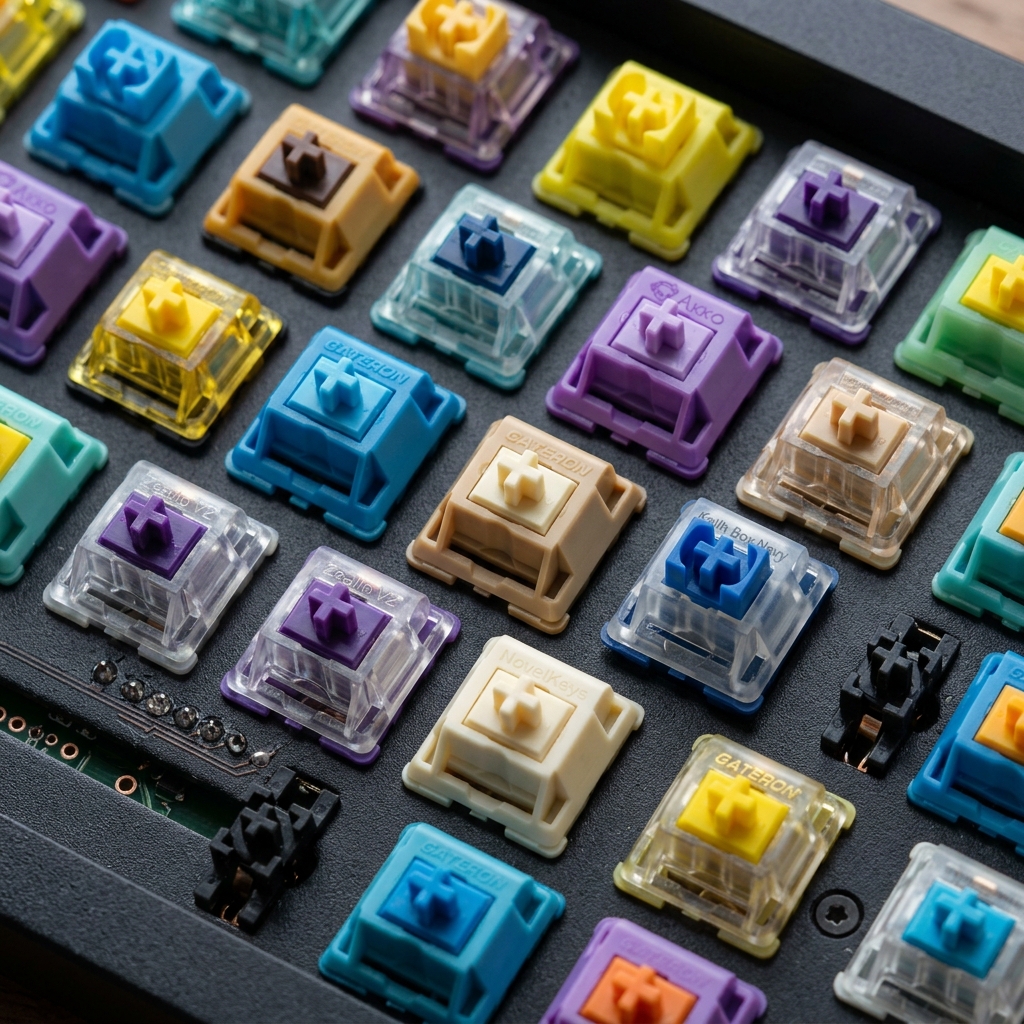
For a developer, a writer, or a gamer, the keyboard is the primary tool of the trade. Standard laptop or membrane keyboards often feel "mushy," which can lead to missed keypresses, hand fatigue, and a general lack of precision. Mechanical keyboards offer a level of tactile feedback and durability that membrane boards simply cannot match. In this comprehensive guide, we'll dive into the world of mechanical switches, custom builds, and why this hardware is a game-changer for your productivity.
The Anatomy of a Mechanical Switch
Unlike membrane keyboards, where a single rubber sheet covers all keys, every key on a mechanical board has its own independent switch. Inside that switch is a physical spring and a leaf contact. When you press the key, the stem pushes the spring down and completes the circuit. This mechanism is what provides the signature feel and sound of a mechanical keyboard.
Tactile Feedback: The Game Changer for Speed
The "bump" or "click" of a mechanical switch tells your brain exactly when a key has been registered. This allows you to "type light" and move to the next key faster, as you don't have to bottom out every single press. Over time, this reduces the force you apply to the keys, leading to much less hand strain during long coding or writing sessions. This is called "actuation," and mastering the feeling of the actuation point is the secret to elite typing speeds.
Choosing the Right Switch: The Color Code
Switches are usually color-coded by their characteristics:
- Brown (Tactile): A quiet bump at the actuation point. Great for offices and balanced typing.
- Blue (Clicky): A loud, satisfying click. Excellent feedback but can be distracting to others.
- Red (Linear): Smooth from top to bottom. Preferred by many gamers for rapid keypresses.
- Black (Heavy Linear): Like Reds but requires more force. Great for those with heavy hands who want to avoid accidental presses.
Finding the right switch for your typing style is a personal journey that pays off in speed and pure, tactile enjoyment.
Keycap Profiles and Materials: The Touch and Feel
It's not just about the switches; the keycaps themselves matter. "ABS" plastic is common but can become shiny and "greasy" over time. "PBT" plastic is denser, has a textured feel, and resists shine. Furthermore, different profiles (like OEM, Cherry, or DSA) change the height and angle of the keys, which can significantly affect your typing comfort and speed.
Durability and Customization: A Tool for Life
A good mechanical keyboard can last for decades—most switches are rated for 50 million to 100 million presses. Plus, you can customize everything from the keycaps (aesthetic themes) to the layout (like using a 60%, TKL, or even an Ortholinear board) to fit your specific workflow and desk aesthetic. Hot-swappable boards allow you to change your switches without soldering, making it easy to experiment with new feels.
Programmable Layers and Macros: A Developer's Secret Weapon
Many high-end mechanical keyboards (especially those using QMK or VIA firmware) allow you to program "layers." This means you can have your arrow keys, brackets, or common code snippets mapped to the home row when you hold down a modifier key. This keeps your hands in the optimal typing position 100% of the time, further reducing travel distance and increasing efficiency. Imagine never having to move your hand to the arrow keys again!
The "Thock" vs. The "Clack": The Auditory Experience
In the enthusiast community, the sound of a keyboard is just as important as the feel. A "thocky" keyboard has a deep, marble-like sound, often achieved with high-quality case materials and lubed switches. A "clackier" sound is higher-pitched and sharper. While purely aesthetic, a sound you love can make the act of typing feel like a rewarding, rhythmic performance rather than a chore.
Conclusion: An Investment in Yourself
Let's be honest: typing on a high-quality mechanical board just feels better. The sound, the feel, and the weight of the board create a premium experience that makes long hours of work significantly more enjoyable. If you spend 8 hours a day at a computer, your keyboard is your most important tool. Don't settle for "mushy" when you could have "perfect."